Ledger Map · logo · round 2 · 27/10/2026
Six logo ideas, built from the act of accounting
Round 1 drew the word "map": pins, routes, compasses, bridges. That was wrong. In Ledger Map, "map" is what an accountant does: each bank line is mapped to the right ledger in the books.
For round 2 we studied the app first: the entries table, the Ledger box at the end of each row, the green and red marks, contra pairs, the voucher file. Then six designers each built one idea from something every accountant draws by hand: a brace, a ledger page, a T-account, a ruled-off total, a mapping table, two records that agree.
How to read this page: the strip below compares all six at one size and at title-bar size. Then each idea has the same sections. My own verdict is in the grey box in each one, and the recommendation is at the end.
All six at one size
All six at 16 px, in a Windows title bar (light and dark)
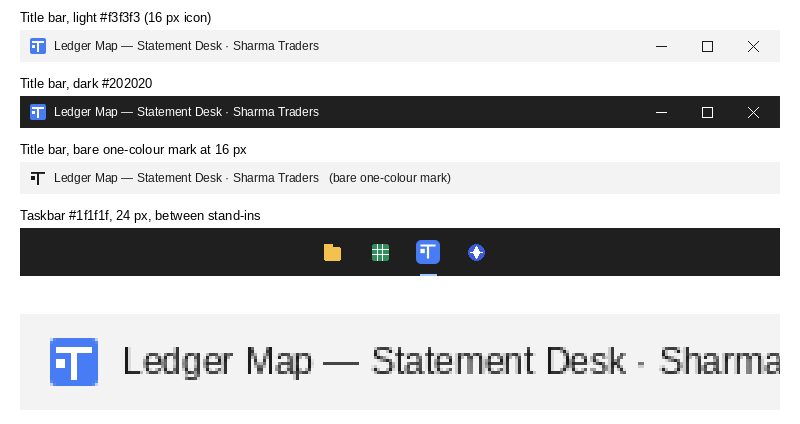
On a phone, slide the wide pictures sideways inside their box. These are the real logo files drawn by your browser at 16 px, the size they will have in the title bar and the taskbar. Where a designer made a separate small drawing for this size, that is what is shown.
 Ledger Map — Statement Desk · Sharma Traders–▢✕Ledger Map — Statement Desk · Sharma Traders–▢✕
 Ledger Map — Statement Desk · Sharma Traders–▢✕Ledger Map — Statement Desk · Sharma Traders–▢✕
 Ledger Map — Statement Desk · Sharma Traders–▢✕Ledger Map — Statement Desk · Sharma Traders–▢✕
 Ledger Map — Statement Desk · Sharma Traders–▢✕Ledger Map — Statement Desk · Sharma Traders–▢✕
 Ledger Map — Statement Desk · Sharma Traders–▢✕Ledger Map — Statement Desk · Sharma Traders–▢✕
 Ledger Map — Statement Desk · Sharma Traders–▢✕Ledger Map — Statement Desk · Sharma Traders–▢✕
Concept 1
Brace
Many bank lines, tied to one ledger.
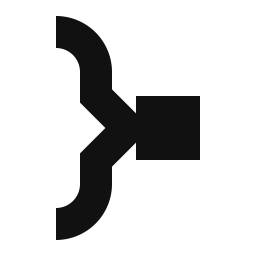
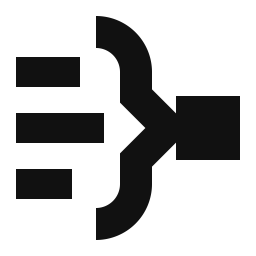
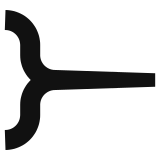
When several lines in a book go to one account, the accountant draws a curly brace beside them in the margin and writes the account name once at its point. Here the lines are the bank's narrations, and the solid square is the Ledger box where the name goes.
What each part means
- Three bank lines of different lengths: the narrations ("UPI/RAMESH TRADERS…", "ATM WDL/MG ROAD").
- The brace: the payee group. One choice fills the payee's other entries. Its point is the decision.
- The solid square: the Ledger box at the end of each row, with the name written once.
With the name

Letters drawn by the designer, not a typed font. A type specialist would still need to finish them.
In the Windows title bar and taskbar (real renders)
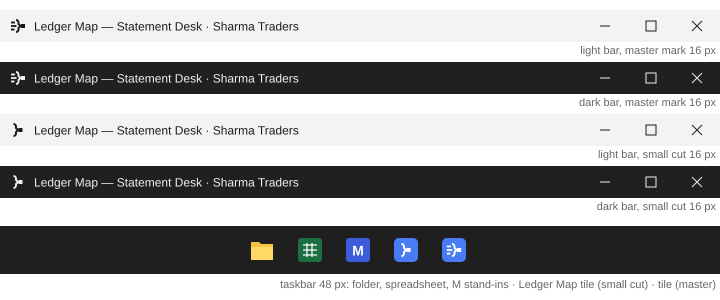
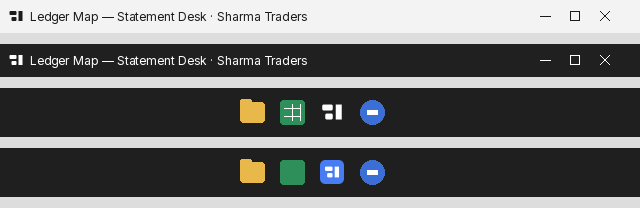
Top two bars: the full mark at 16 px. Next two: the separate small drawing (brace and square only). Bottom: the taskbar at 24 px between stand-in icons.
The five desks
How it builds up (hub screen and video end card)
Key facts
Good / Watch out
Good
- The only idea that draws the act of mapping itself: many lines become one answer. A CA reads it without a caption.
- Nothing like it in the category. Beside the blue circles and bold words it looks like it came from a different, more exact place.
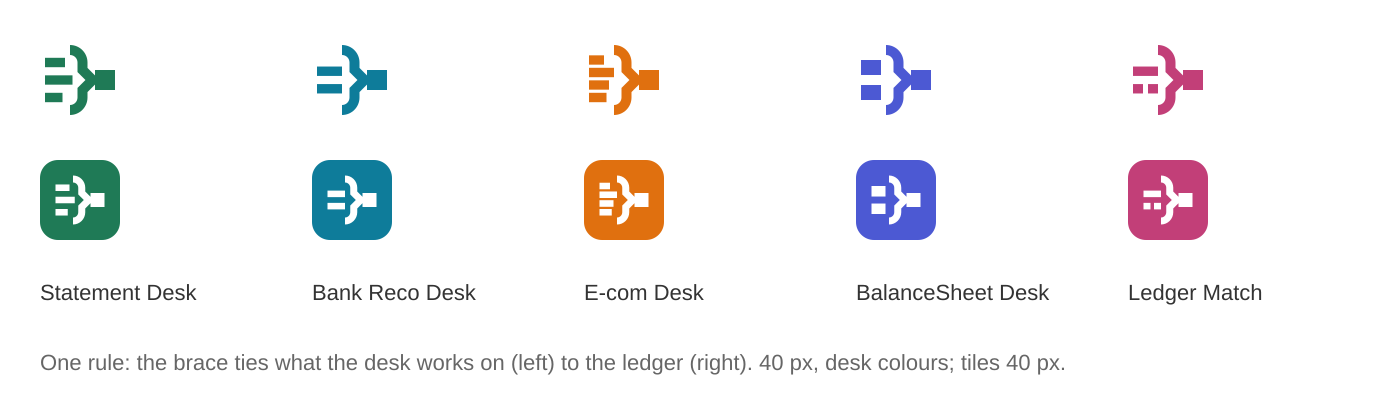
- Strong family: the brace stays, what it ties changes per desk. Natural hub: lines leave from the hook tips and the square.
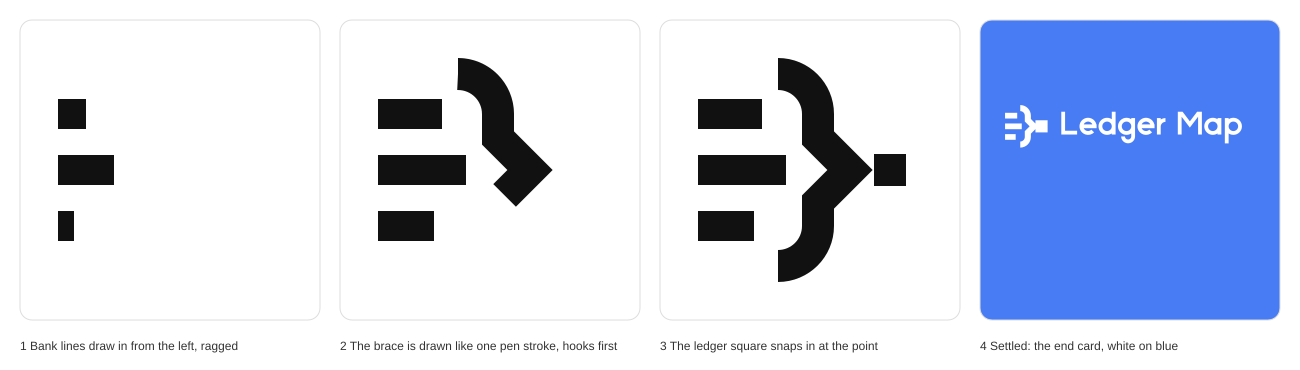
- The best storyboard moment: the brace drawn as one pen stroke, then the square snaps in (the Enter key).
Watch out
- At 16 px the full mark is a dense cluster. It needs the second, cut-down drawing, so there are two pictures of one logo.
- The small cut, brace into square, can look like a "next" or "export" chevron hitting a block. The soft hooks are what stop that; they must never be trimmed.
- People who write code see a code bracket for a moment.
Routes tried and dropped



Concept 2
Folio
An entry has been written on its ledger page, and its box is filled.
The corner of a ruled ledger page: the margin rule down the left and the rule across the foot where a column is totalled. The square is the first entry, posted one line in from each rule. "Folio" is the journal column that records which ledger page an entry went to.

What each part means
- The margin rule: the fixed frame of the books in Miracle, read and never changed.
- The foot rule: the column ruled off, the statement finished and exported.
- The square: the Ledger box, filled in. One entry, settled in its place.
With the name
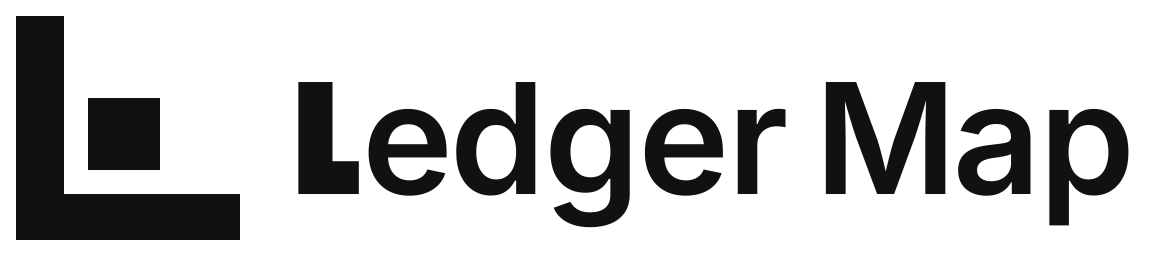
Based on an open font with a redrawn L. For release it should be fully drawn or set in a licensed face.
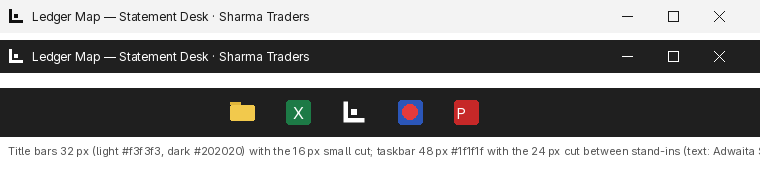
In the Windows title bar and taskbar (real renders)
The five desks

How it builds up (hub screen and video end card)
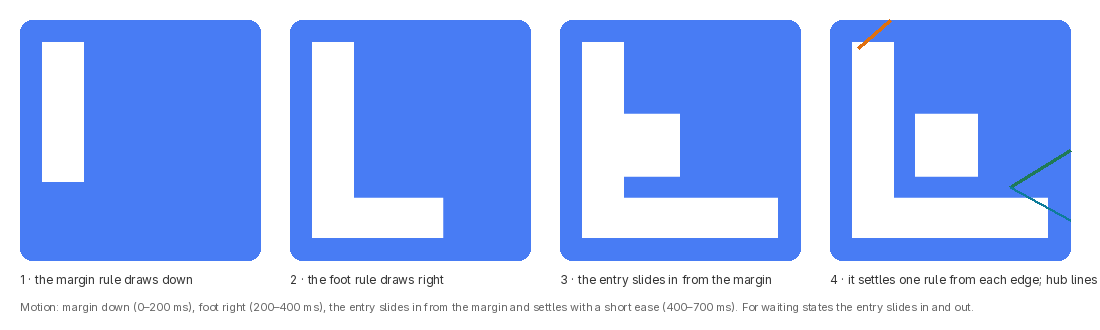
Key facts
Good / Watch out
Good
- The simplest and the sharpest at title-bar size. Nothing blurs, light or dark.
- Calm and exact, which is the product's character.
- Every Indian accountant knows this paper. The square gives it a story: something was posted here.
Watch out
- It is the letter L. If the brand becomes an invented word, the mark has to be explained.
- "L block with a dot" is a common kind of logo; a trademark search is a must.
- The desk marks need 40 px; at 32 px the thin rules inside them go.
- It says "posted" more than "mapped". The act of choosing the ledger is not in the picture.
Routes tried and dropped




Concept 3
Dr | Cr
Every bank line is posted to its side of the right account.
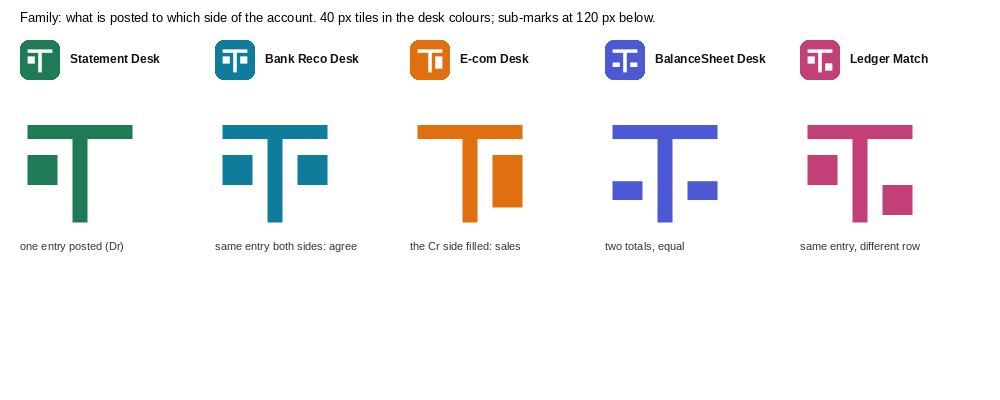
The T-account: the first drawing in every accounting class. The line across the top carries the account's name; the line down the middle splits debit (left) from credit (right). The square is one entry, posted on the debit side.
What each part means
- The top line: the ledger account ("Ramesh Traders", "Cash", "Office Rent").
- The stem: the Debit | Credit split, the two amount columns in the table.
- The square: one bank line that has just been given its ledger. Enter pressed.
- The empty right side: nothing is put there until the books say so. Nothing is guessed.
With the name

Letters drawn by the designer. The single-storey "a" and "g" are a taste choice.
In the Windows title bar and taskbar (real renders)
The five desks
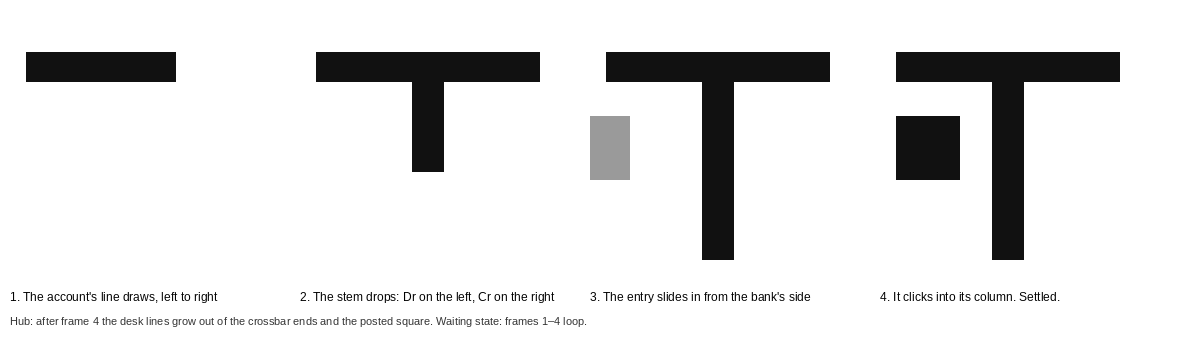
How it builds up (hub screen and video end card)
Key facts
Good / Watch out
Good
- To an accountant it is unmistakably an account with an entry posted. Real accounting, not decoration.
- The clearest family rule: the account never changes, only what is posted to which side.
- A good build-up: the account opens, the stem drops, the entry slides in from the bank's side and clicks.
Watch out
- It is T-shaped and the brand is not called T. In the taskbar it looks like a text or typing tool.
- The whole idea rests on a 3-pixel square. Drop it for space and it is a plain T.
- T-with-square marks exist in other industries; a trademark search is essential.
Routes tried and dropped




Concept 4
Ruled off
The statement is booked and ruled off: every line has its ledger, the column is closed.
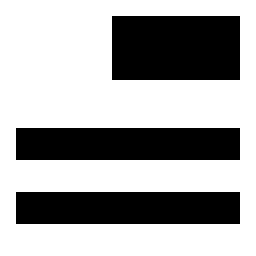
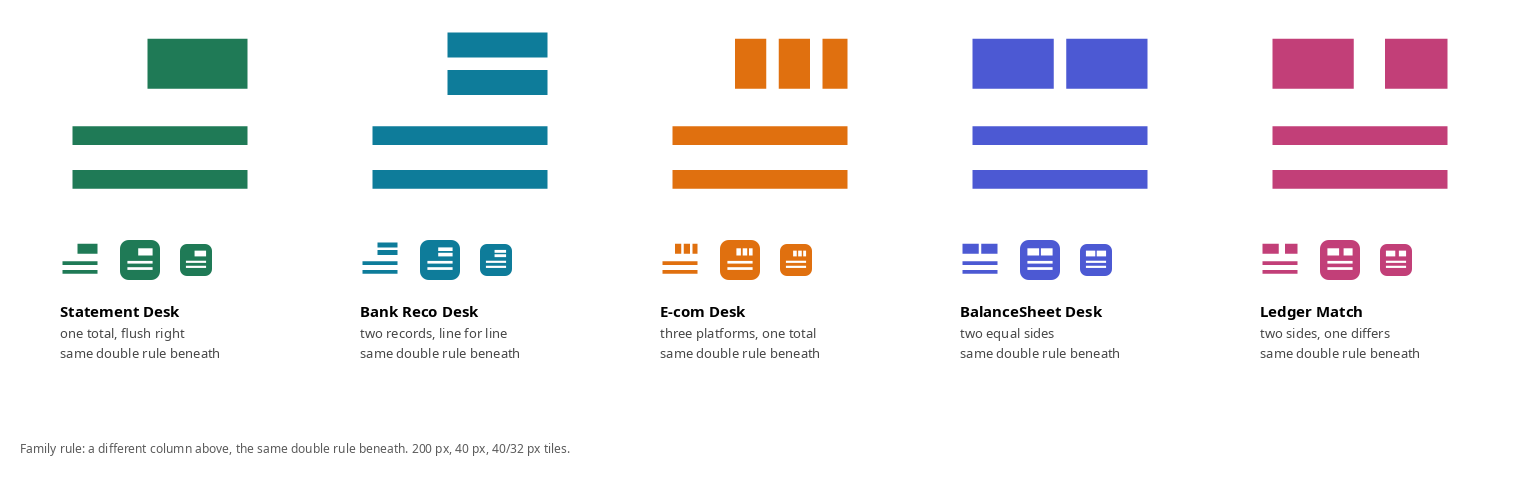
When a column is finished, the accountant writes the total and draws two lines under it. The two lines mean "agreed, closed, nothing more to add". The heavy block is the total, flush right as amounts always are; the two lines run the width of the column.

What each part means
- The heavy figure: the entry booked, the Ledger box filled, flush right like an amount. In the name version, the name itself.
- The two lines beneath: the Export step. The voucher file is ready; the statement is closed.
- The lines being longer than the figure: the column, the bank's statement read top to bottom.
With the name

The name set as a total: a thin line above, the name, two lines beneath. Capitals, drawn by the designer. This name version is the real asset of the concept.
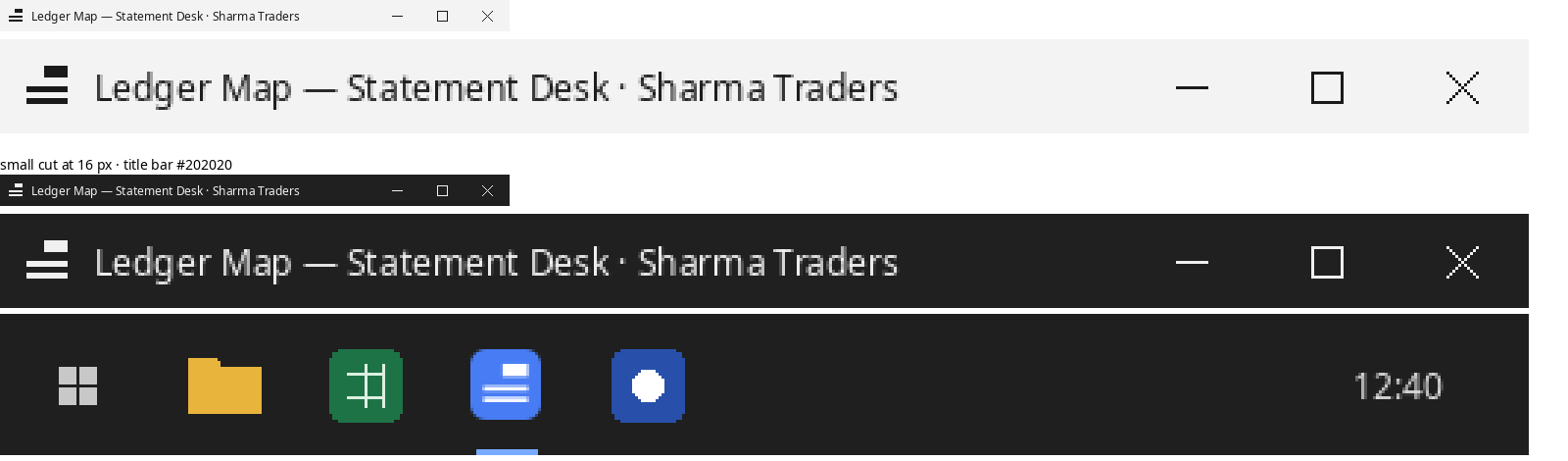
In the Windows title bar and taskbar (real renders)
The five desks
How it builds up (hub screen and video end card)
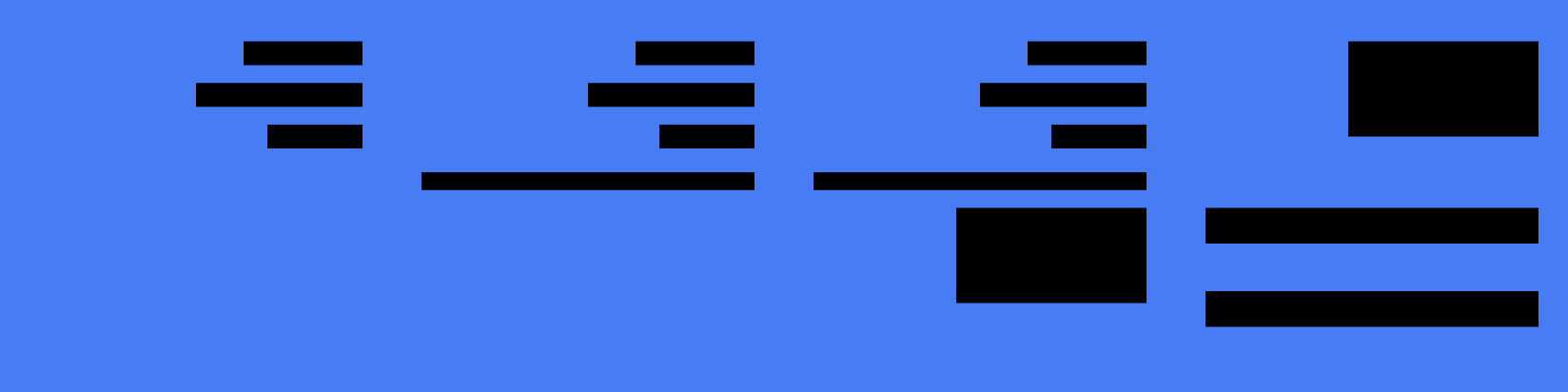
Entry lines stack up flush right, a thin line draws under the last one, the total drops in, and the two lines close it.
Key facts
Good / Watch out
Good
- The name version is the most distinctive wordmark of the six: nobody in the category sets their name like a total.
- The double underline is a sign every CA has drawn since their first class. It means "done and agreed".
- Works with any name: the new letters get drawn in the same style and the rule stays.
Watch out
- The symbol on its own does not say "mapped". It says "a block and two lines", or a menu icon in a toolbar.
- The desk marks are tiles with lines inside: document icons.
- At 24 px the lines go soft.
Routes tried and dropped




Concept 5
Lookup
What the bank wrote on the left, and what it means in the books on the right.
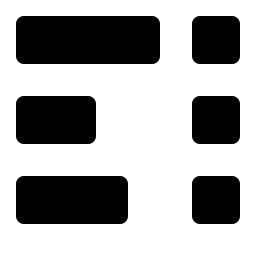
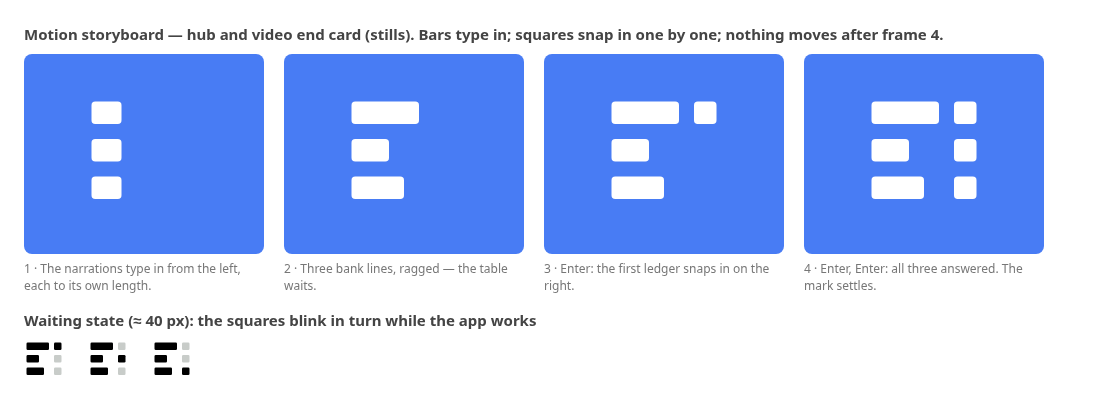
The mapping table every accountant has kept, in Miracle's bank import or in an Excel sheet: narration on the left, ledger on the right. Narrations are all different lengths, so the left column is ragged. Ledger names are fixed, so the right column is tidy. The gap between them is the "becomes".
What each part means
- Three bars of different lengths: the Narration column ("UPI/…", "NEFT CR-…", "CHQ DEP…").
- Three identical squares: the Ledger box at the end of each row, filled in. One ledger per line, every time.
- The gap between them: the reason ("Same UPI ID as an earlier entry"). The mapping itself.
With the name

Letters built from circles and stems by the designer; a bold geometric style with a few own details.
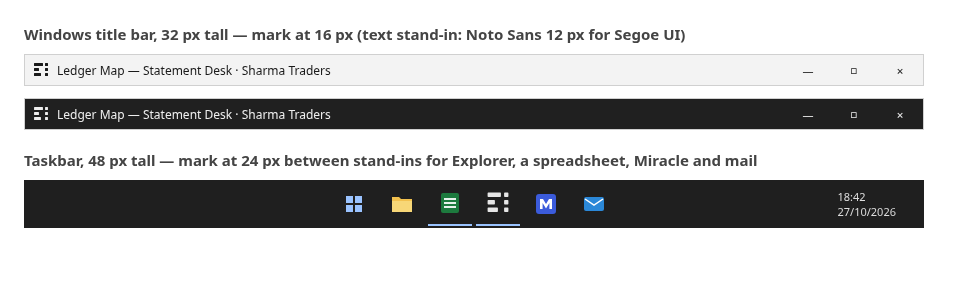
In the Windows title bar and taskbar (real renders)
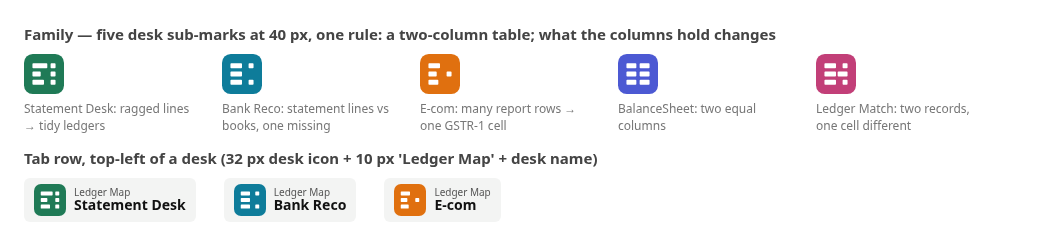
The five desks
How it builds up (hub screen and video end card)
Key facts
Good / Watch out
Good
- The most direct picture of what the app does. A CA understands "narration → ledger" in one look.
- The hub works well: the desks hang off the answer squares.
- The storyboard is the product's rhythm: bars type in, then Enter, Enter, Enter.
Watch out
- It is a table icon. Next to a spreadsheet in the taskbar it is the same family of shapes.
- Mirrored, it is a to-do list. Its meaning depends on which way round it is.
- Two of the desk marks look like a table icon and a keyboard.
- Nothing in it is a shape only we could draw.
Routes tried and dropped




Concept 6
Agree
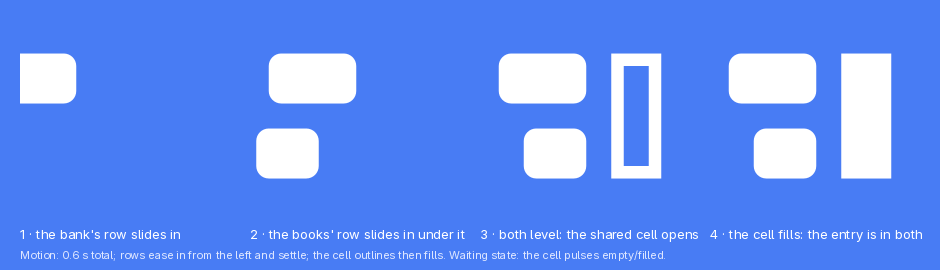
The bank's line and the book's line end in the same figure: the entry is in both, so the two records agree.
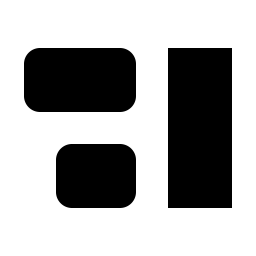
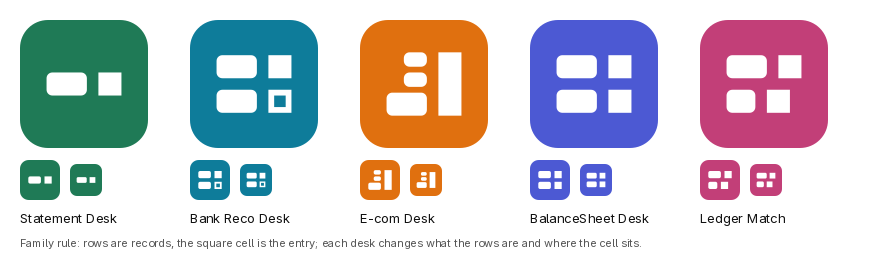
A bank reconciliation. Two records of the same money lie on the desk: the bank statement (a long narration) and the ledger (a short name). The words differ, the amount is the same, and it sits in the right-hand column of both. Two rows of unequal length, flush right, closed by one figure.
What each part means
- The long rounded bar: the bank statement's row, the narration as the PDF prints it.
- The short rounded bar: the books' row, the ledger name the app chose.
- The tall square: the shared cell. The entry that is now in both records: mapped, checked in Miracle, or paired as a contra.
With the name

An open font with redrawn capitals. A full custom lowercase would be the next step.
In the Windows title bar and taskbar (real renders)
The five desks
How it builds up (hub screen and video end card)
Key facts
Good / Watch out
Good
- Compact and crisp at every size, with a silhouette of its own: two bars and a tall block.
- Quiet and exact. On the shelf it is the small serious one beside loud words.
- One cell shared by two records is a true accounting idea, and it covers three desks at once (Statement, Bank Reco, Ledger Match).
Watch out
- Without the story a stranger sees "two lines and a block", or a sidebar layout icon.
- It says reconciliation (Bank Reco) more than mapping (Statement Desk, the main job).
- The three choices that keep it from being a layout icon (ragged rows, flush right, heavy cell) must never be "tidied".
Routes tried and dropped




Creative director
Recommendation
| Your seven questions | 1 Brace | 2 Folio | 3 Dr | Cr | 4 Ruled off | 5 Lookup | 6 Agree |
|---|---|---|---|---|---|---|
| A CA understands it in one sentence | Yes | Yes | Yes | Yes (name version) | Yes | Mostly |
| Says accounting-mapping, never travel | Yes, strongest | Says "posted" | Says "posted" | Says "closed" | Yes | Says "agrees" |
| Readable at 16 px in a title bar | With small cut | Yes, best | Yes | As a menu icon | As a list icon | Yes |
| Unlike Tally, Zoho, Khatabook, round 1, current mark | Yes, most | Common L-corner | Common T-tile | Name: yes. Symbol: no | Table icon | Yes |
| Still works if the name changes | Yes | No (it is an L) | Yes (but a T) | Yes | Yes | Yes |
| Becomes five desks and one hub | Yes | Yes, at 40 px | Yes, tidiest | Weak (document tiles) | Weak | Yes |
| Craft | Good; fix the point | Best | Good | Good; soft at 24 px | Good | Very good |
First pick: 1 Brace
It is the only one of the six that draws the act the product is named for: many bank lines become one ledger. It is a sign accountants make with a pen, it looks like nothing in the category, and it keeps its meaning if the name changes. Its weakness is mechanical, not conceptual, and can be fixed in one more pass.
What I would do next with it
- Redraw the small cut so the point into the square cannot read as an arrow: rounder, wider hooks; the square a touch smaller; one pixel of air between the point and the square at 16 px. Test again in the title bar.
- Try to get down to one drawing: if the three lines can survive at 24 px, the small cut is only needed at 16 px.
- Colour: deep ink for the brace and lines, with one accent on the square (the green of a sure match, or the red of a ledger's margin rule). Test on the blue tile, the dark theme and on paper in black.
- Borrow concept 4's name treatment for the lockup: the name set on a ruled-off line under the brace mark. Then have a type specialist finish the letters.
- Build the five desk marks and the hub screen for real, then the installer icon and the Edge variant.
Runner-up: 2 Folio
The best-made mark in the round and the safest on Windows. Choose it if the name is staying "Ledger Map" for good and you want the calmest possible identity. It says "posted on its page" rather than "mapped", and it is an L first.
Also worth keeping: concept 4's name-as-a-total lockup (for any symbol), and concept 3's T-account as a Statement Desk sub-mark.
What nobody has checked yet
- Trademark search. None of the six has been searched. Simple shapes (an L with a square, a T with a square, bars and squares) are likely to have look-alikes somewhere; a professional search is needed before any of them is used.
- Fonts in the mock-ups. The Windows title bars use stand-in fonts for Segoe UI (Noto Sans, Adwaita Sans), because this computer does not have Segoe UI. Real Windows will render the text slightly differently; the logos themselves are unaffected.
- Colour. Everything here is black on white by design. Colour is decided after the pick.
- Real screens. The hub, taskbar and installer pictures are mock-ups built to the app's sizes, not screenshots of the app running with the new mark.
- Lettering. Every wordmark is a first drawing or a modified open font. Any of them needs a type specialist's pass before release; the font licences of the two modified open fonts (Adwaita Sans) allow it.